





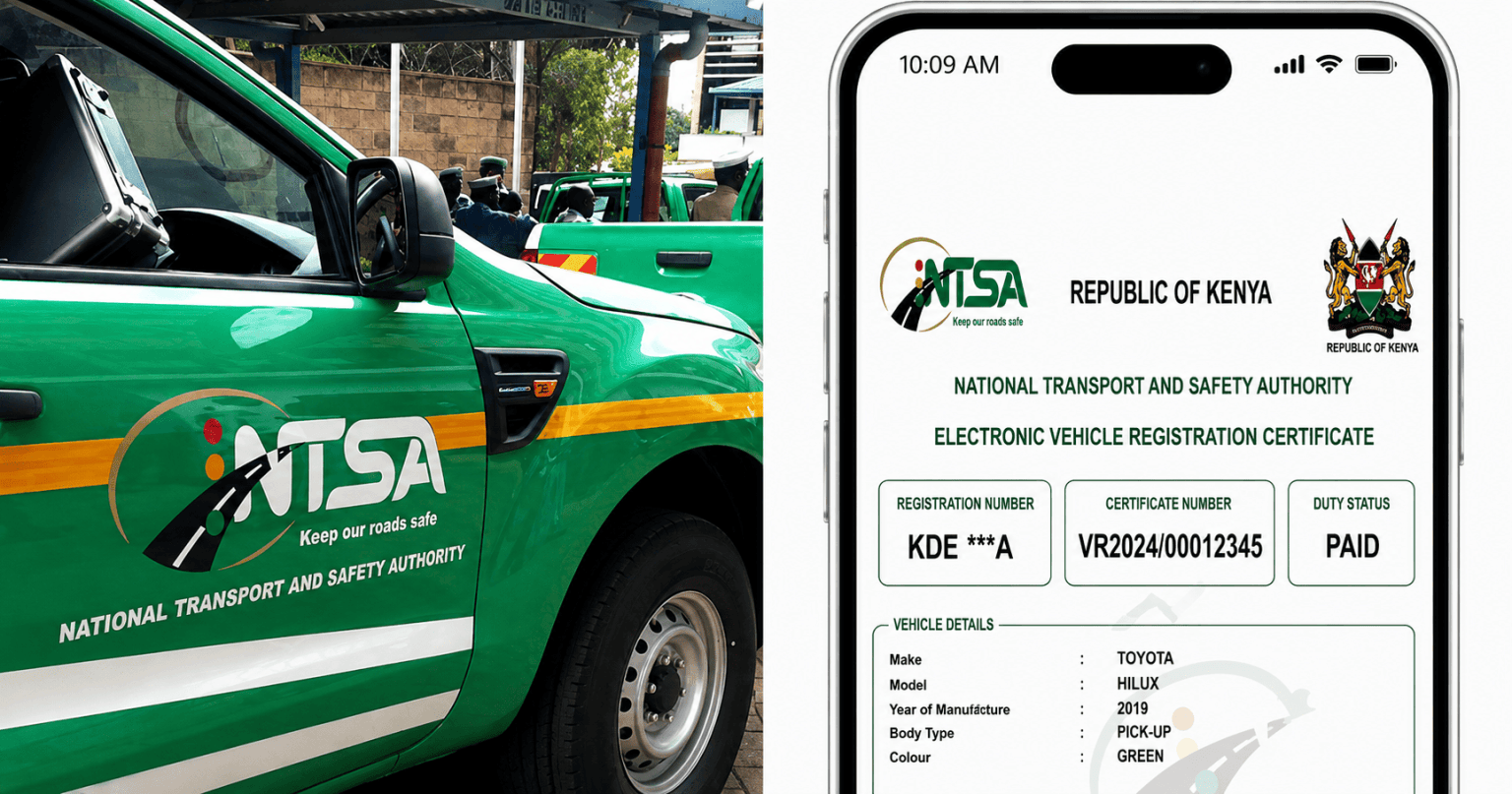
You can check any vehicle’s registration and ownership details in Kenya by requesting an official Motor Vehicle Copy of Records through the National Transport and Safety Authority’s service portal on eCitizen. The older TIMS platform has been fully phased out, and all vehicle verification now runs through this single consolidated system.
- What You’ll Need
- Step-by-Step: How to Search
- What the Copy of Records Actually Shows
- You Don’t Need to Own the Vehicle to Search It
- Common Mistakes to Avoid
- Frequently Asked Questions
- How much does an NTSA vehicle search cost?
- Can I search a vehicle I don’t own?
- Is the TIMS portal still used for vehicle searches?
- What if the search shows an active caveat?
- Bottom Line
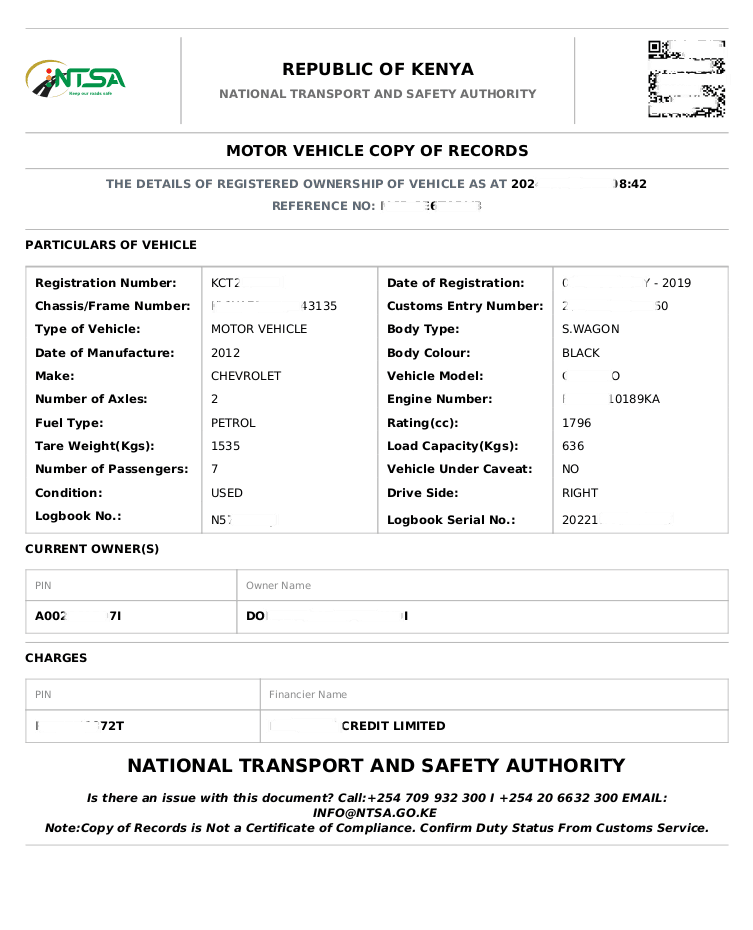
An NTSA Copy of Records search costs KSh 550 and gives buyers an official, downloadable ownership and caveat history for any registered vehicle in Kenya.
This guide is for anyone buying a used car, verifying a vehicle before a deposit, or simply confirming their own vehicle’s records are accurate. Doing this search before you hand over any money is one of the simplest ways to avoid fraud in Kenya’s used car market, which has grown more sophisticated alongside the country’s rising import volumes.
What You’ll Need
- An active eCitizen account.
- The vehicle’s registration number (number plate) or chassis number.
- KSh 550 for the official government search fee, payable via M-Pesa, debit or credit card, or bank transfer.
Step-by-Step: How to Search
- Log in to eCitizen. Visit the official portal and sign in with your ID number or email and password. Register first if you don’t already have an account.
- Open the NTSA service portal. From your dashboard, find and click on National Transport and Safety Authority (NTSA), sometimes labeled as the “NEW” NTSA portal.
- Go to Services. Once the NTSA dashboard loads, click the Services tab.
- Select Motor Vehicle Copy of Records. Click Apply next to this option.
- Enter the vehicle’s details. Type in the exact registration number as it appears on the plate, or the chassis number, then click Search and Submit. Formatting matters here: incorrect spacing or lettering can return an error.
- Pay the fee. Choose your payment method and pay the KSh 550 government fee. Kenya’s government agencies now run on the unified paybill 222222, which replaced the older 220220 number used before the TIMS-to-eCitizen migration.
- Download your document. Once payment clears, go to Application History and click View to download the printable Copy of Records. Processing is typically immediate.
What the Copy of Records Actually Shows
The downloaded PDF gives a fairly complete snapshot of the vehicle’s official history.
| Category | Details Included |
|---|---|
| Current registered owner | Full name, ID or passport number, KRA PIN |
| Vehicle specifications | Make, model, body type, year of manufacture, engine and chassis numbers |
| Caveat or encumbrance status | Active bank liens, court orders, or caveats blocking a sale |
| Registration history | First registration date in Kenya, prior ownership transfer timeline |
One limitation worth being upfront about: a Copy of Records confirms legal ownership and paperwork status, not physical condition. It won’t tell you about accident history, mechanical faults, or odometer tampering. Treat it as one layer of due diligence, best combined with a mechanical inspection and, ideally, a physical comparison of the chassis and engine numbers on the vehicle against what the document shows.
You Don’t Need to Own the Vehicle to Search It
Vehicle registration records are treated as public data in Kenya specifically to protect buyers, so you can run this search on any vehicle before committing to a purchase, whether or not you’re the current owner. This is exactly why doing the search before paying a deposit matters. It catches disputed ownership, unpaid loans tied to the vehicle, or a logbook that doesn’t match what NTSA actually has on file.
Common Mistakes to Avoid
Entering the registration number incorrectly is the most common hiccup, since even a missing space or wrong letter case can return an error or, worse, pull up the wrong vehicle’s record entirely. Copy the plate number exactly as it appears, character for character.
Skipping the search because a seller seems trustworthy is the costlier mistake. Fraudulent transactions in Kenya’s used vehicle market have grown more sophisticated alongside rising import demand, and a KSh 550 search is a small cost against the risk of buying a vehicle with an active caveat or disputed title.
Read also:How to Apply for a Kenyan Passport in 2026: Fees, Documents & Process
—How to Check Land Rates and Company Registration Details in Kenya: A Complete 2026 Guide
Frequently Asked Questions
How much does an NTSA vehicle search cost?
KSh 550 for the official Copy of Records, paid directly through eCitizen.
Can I search a vehicle I don’t own?
Yes. Vehicle registration data is public in Kenya specifically so buyers can verify a vehicle before purchasing it.
Is the TIMS portal still used for vehicle searches?
No. TIMS has been fully phased out and all NTSA vehicle services, including the Copy of Records search, now run through eCitizen.
What if the search shows an active caveat?
An active caveat usually means a bank lien, court order, or other legal restriction is attached to the vehicle. Don’t proceed with a purchase or transfer until the seller resolves it, since it can block your ability to register the vehicle in your name.
Bottom Line
Checking vehicle ownership in Kenya now takes a few minutes and KSh 550 through eCitizen’s NTSA portal, and there’s no good reason to skip it before buying a used vehicle. The Copy of Records confirms legal ownership, specifications, and caveat status, though it won’t tell you about mechanical condition, so pair it with a physical inspection rather than treating it as a complete check on its own.
Sources: Business Radar, Mwash Cyber, Monolith Africa, eCitizen NTSA Services